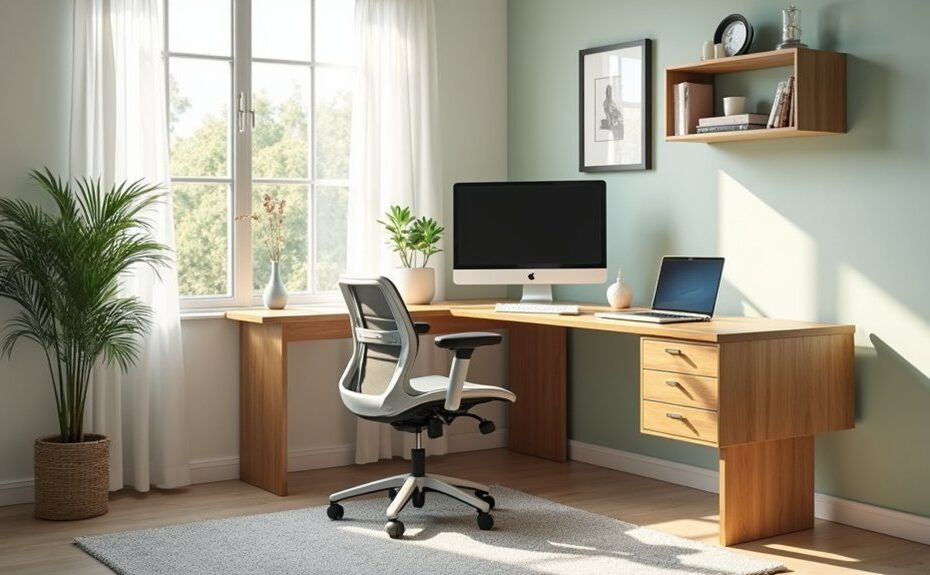
Like a well-edited studio apartment, your home office works best when every inch earns its keep. You can reset the layout by clearing the main path, zoning tasks, and placing your desk where daylight supports focus without glare. Then you’ll layer lighting, hide cables, and add storage that keeps essentials close but out of sight. Finish with a calm palette, intentional wall pieces, and a few plants—starting with the one change that shifts everything.
Key Takeaways
- Rework the layout to keep a 30–36-inch clear path from door to chair, and anchor one primary ergonomic work zone.
- Place the desk perpendicular to a window for daylight without glare, and face the room while keeping space behind the chair.
- Improve ergonomics by setting the monitor at eye level, keeping keyboard and mouse close, and adjusting chair height for neutral posture.
- Layer lighting with task, floor, and accent lamps, placing the brightest light slightly behind and to the side of the monitor.
- Reduce visual clutter using shelves, drawers, and cable trays, then add a controlled accent color with art, plants, or organizers.
Reset Your Home Office Layout (Clear the Flow)
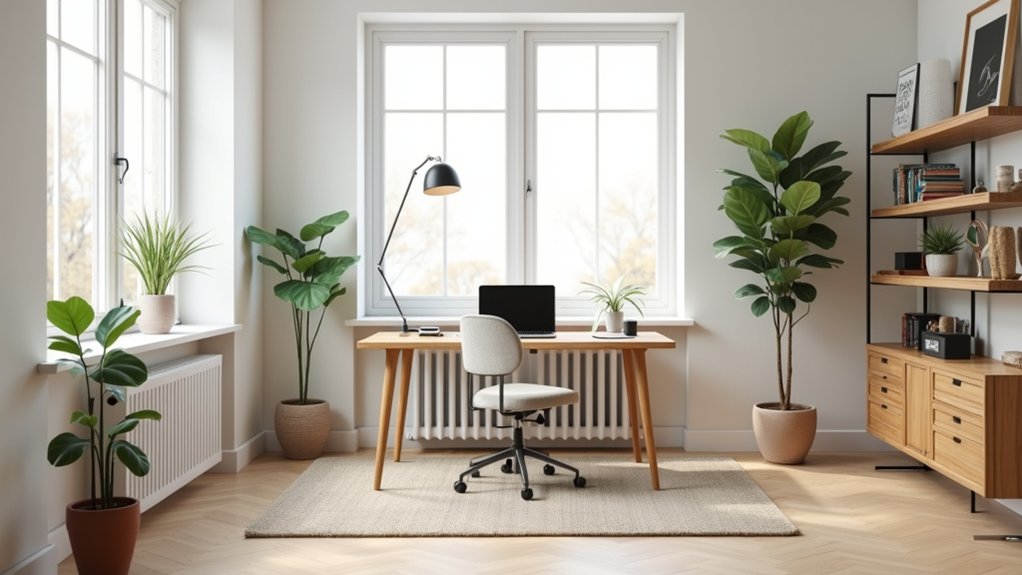
Where does your energy snag the moment you sit down—at a tight walkway, a chair that scrapes, or a monitor that forces you to twist? Start by mapping your circulation: keep a clear 30–36-inch path from door to seat, and stop pinching corners with stray bins.
Slide storage to the perimeter, then anchor one “work zone” with ergonomic furniture that fits your body and the room—an adjustable chair that tucks fully in, a slim drawer unit that doesn’t jut into your knees.
Edit your surfaces: one landing spot for mail, one for devices, nothing else.
Finish with acoustic treatments: a rug to soften footfall, felt panels or drapery to damp echoes, and a bookcase to break up hard walls.
Place Your Home Office Desk for Light and Focus
Although you can’t control every distraction, you can control what your desk faces and how light hits your screen. Aim your workstation toward the room, not a blank wall, so you feel grounded and can spot movement without turning.
Place the desk perpendicular to the window to reduce glare and keep your monitor readable; if that’s impossible, angle it slightly and keep the screen out of direct reflections.
Maintain a clear pull-back zone behind your chair so you can stand and sit smoothly.
Pair the setup with ergonomic seating, adjusted so elbows rest at desk height and feet plant flat.
Finish with clutter management: route cords along one leg, corral supplies in a tray, and keep the desktop mostly open.
Improve Home Office Lighting (No Rewiring Needed)
You can upgrade your home office lighting without rewiring by layering a task lamp at your work zone, a floor lamp for ambient fill, and a small accent light to balance the corners.
Place fixtures so light washes across your desk instead of into your eyes, and angle shades to cut screen glare.
Add a diffused bulb and keep the brightest source slightly behind and to the side of your monitor for crisp focus and a polished look.
Layered Lighting With Lamps
Ever notice how a home office feels either gloomy or glaring, even with the overhead light on? Build a layered plan with lamps so you can tune light to the work and the mood.
Start with a compact desk lamp for task lighting; choose an adjustable arm and a focused shade that stays visually quiet on your desktop.
Next, add a floor lamp or small table lamp to wash the room with ambient ambiance, especially in a corner that feels flat. Pick a shade and finish that echo your hardware—black, brass, or warm wood—to tighten the palette.
Then introduce a third, softer source: a plug-in picture light over shelving or a tiny accent lamp on a credenza. Put each layer on its own switch so you can mix, dim, and reset quickly.
Glare Control And Placement
Layered lamps work best when you place them to control glare, not fight it. Start with window placement: angle your desk perpendicular to the glass so daylight washes the room without blasting your monitor. If you can’t move the desk, shift the screen so it doesn’t mirror the window, then add a matte screen filter for quick glare reduction.
Put your task lamp on the opposite side of your writing hand and aim it down at a 30–45° angle, keeping the bulb out of your sightline. Choose shades with opaque tops and diffusers to soften hotspots.
Add a floor lamp behind and slightly to the side of your monitor to lift ambient levels, so contrast drops and your eyes stay relaxed.
Add Home Office Storage for Supplies and Cables
When cords and small supplies stay visible, even a well-styled desk starts to look cluttered. Start with cable management: mount an under-desk tray to route power strips, then add adhesive clips along the back edge so charging leads drop exactly where you need them. Hide excess length in a slim cable box and label adapters to prevent repeats.
Next, choose storage solutions that match your layout. Use a shallow drawer insert for pens, sticky notes, and thumb drives, and keep one lidded catchall on the desktop for daily essentials only. Add a rolling cart beside the desk for paper, ink, and tools, and park it under the return when you’re done.
Finish with a wall shelf and file pockets to lift items off your work surface entirely.
Choose a Simple Home Office Color Palette
Start with a neutral base—soft white, warm greige, or light gray—to keep the room bright and your layout feeling open.
Then layer in bold accents in controlled spots, like a desk chair, art print, or lamp, so the color reads intentional without crowding the space.
Tie it all together by coordinating your wall paint with textiles such as curtains, a rug, and seat cushions to create a clean, cohesive look.
Neutral Base, Bold Accents
A calm, neutral base gives your home office instant structure, so you can add bold accents without the space feeling busy. Start with one light neutral on large surfaces you see most: walls, main storage, and big rugs. This sets clear sightlines and makes your desk zone feel anchored.
Then choose one saturated accent and repeat it in two to three small, high-impact spots: a task chair, art, or a desktop organizer. Keep accents near your focal point to pull attention toward your work area, not the room’s edges.
For cohesive color schemes, match the accent to an undertone already present in wood, metal, or flooring. Finally, align furniture styles—clean-lined pieces suit crisp contrasts, while softer silhouettes handle deeper, moodier tones without fighting.
Coordinate Paint And Textiles
How do you keep your home office palette looking intentional instead of pieced together? Start with one wall color and repeat it in small doses: a lamp base, file boxes, or a framed mat.
For Color coordination, choose one dominant shade, one supporting neutral, and one accent, then limit everything else to wood and metal tones you already own.
Use Textile pairing to bridge paint to furnishings. Match undertones first: warm white walls want camel, rust, and brass; cool gray works with navy, charcoal, and chrome.
Keep patterns on a strict scale plan—one large motif rug, one medium pillow print, then solids for the chair and curtains.
Finally, test swatches at desk height under task lighting so the palette reads cohesive during work hours.
Update Home Office Walls: Art, Pinboards, Whiteboards
Where do your eyes land when you look up from the desk? Make that sightline intentional. Hang Wall art centered at eye level when seated, not standing, and scale it to the wall: one large piece over a console, or a tight grid above a credenza. Keep frames consistent in finish so the wall reads calm, even when your day doesn’t.
Add function without visual clutter. Use pinboard ideas like a linen-wrapped cork panel that matches your textiles, mounted beside your monitor for quick reach. Reserve one zone for active projects and clear it weekly.
Install a slim magnetic whiteboard near the door for deadlines and calls; align its top edge with the art for a clean horizon line.
Add Plants and Matching Home Office Accessories
Two well-placed plants can soften the hard edges of a work zone and make the whole setup feel finished. Put one taller option in a back corner to frame your monitor, then place a lower plant near the desk edge to pull the eye forward.
Choose Indoor flora that matches your light: pothos for low light, a snake plant for neglect-proof structure, or a small ficus for brighter windows.
Then tighten the look with accessory coordination. Repeat one metal finish across your lamp, pen cup, and monitor stand, and echo one wood tone in trays or a file box.
Keep accessories within arm’s reach: a catchall by your dominant hand, a coaster near the keyboard, and a cable clip line along the rear edge.
Frequently Asked Questions
What Budget Should I Set for Refreshing a Home Office?
You should set $200–$800 for a home office refresh. You’ll cover paint, Color schemes, Lighting options, and a few ergonomic upgrades. You can rework layout with shelves, desk organizers, and a statement rug.
How Often Should I Update My Home Office Decor?
Like turning over a new leaf, update your decor seasonally, and do a bigger refresh yearly. You’ll rotate wall art, tweak plant placement for light, and re-balance zones as work habits shift.
What Are Ergonomic Chair Features to Prioritize for Long Workdays?
Prioritize Adjustable height, Lumbar support, and a contoured seat pan that fits you. Choose adjustable armrests, breathable upholstery, and smooth casters sized for your floor. You’ll stay aligned, comfortable, and visually cohesive.
How Can I Soundproof a Home Office for Meetings?
Silence is golden: you’ll cut meeting noise by sealing door gaps, adding acoustic panels at first-reflection points, and hanging soundproof curtains floor-to-ceiling. You’ll soften echoes with a rug, upholstered chair, and bookcase along shared walls.
Which Internet and Power Upgrades Improve a Home Office Setup?
Boost Internet speed with fiber and a mesh router centered in your room for clean coverage. Add grounded Power outlets, a surge protector, and a UPS near your desk to keep cables tidy and reliable.